
The "Localhost" Problem in Mobile Testing
Architecture Comparison
Figure 1: Traditional proxies require complex local network setup. Debuggo works over any connection.
For over a decade, Charles Proxy has been the gold standard for HTTP debugging. It is powerful, but it's a major headache to configure. Being a Java-based desktop app, it feels clunky and often requires complex firewall configurations just to get your phone to talk to your laptop.
Proxyman: The Beautiful Native Alternative
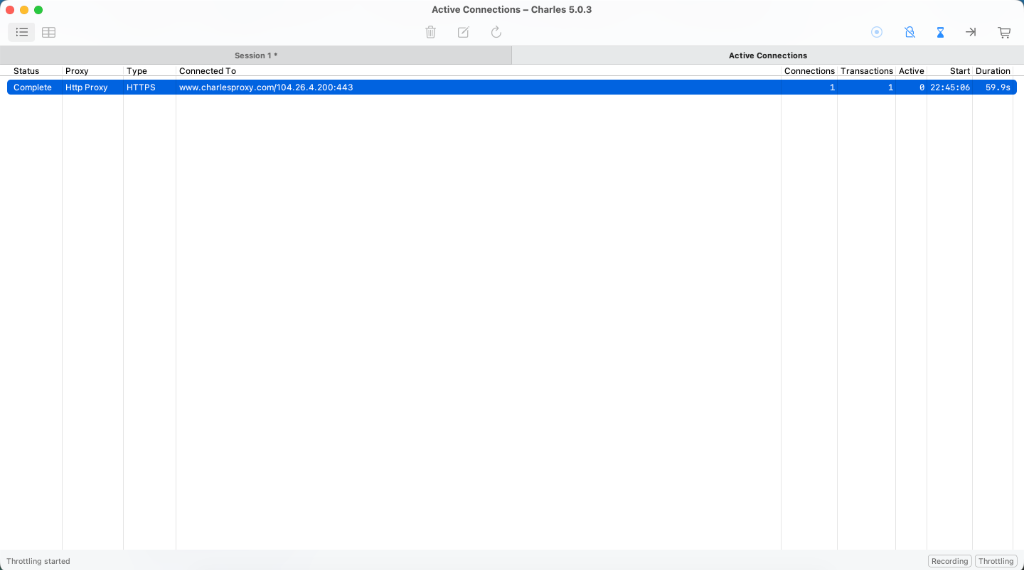
Charles Proxy: Functional but outdated Java UI
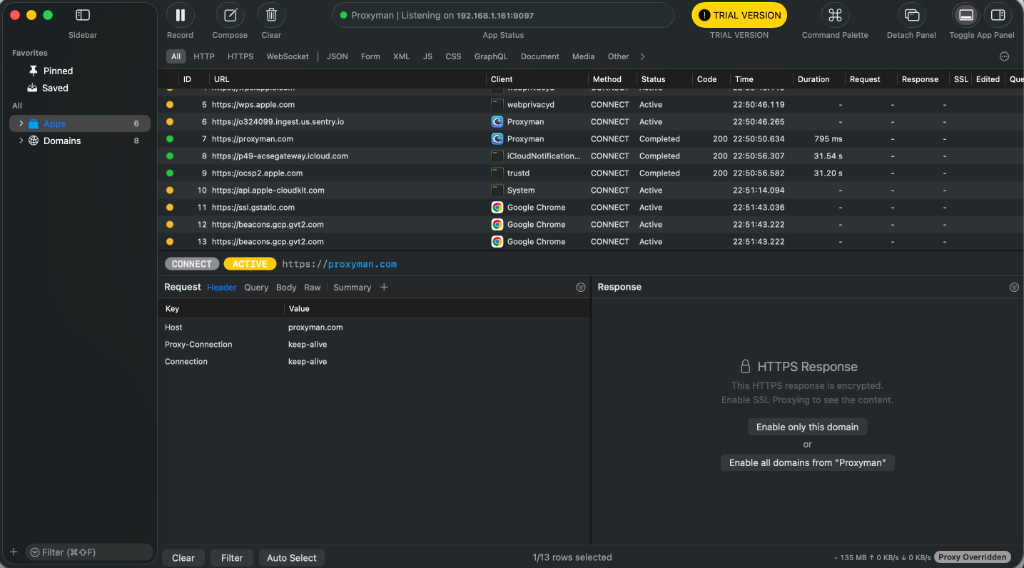
Proxyman: Modern native macOS interface
Proxyman entered the market to solve Charles' UI issues. It offers a stunning, native macOS experience that developers love. It makes SSL certificate installation easier and provides great debugging tools.
However, both tools share the same limitation: Local Dependency. To debug a mobile app, your phone and computer must be on the same Wi-Fi network. If you are a remote QA engineer or need to show a bug to a developer in another city, sharing logs becomes a nightmare of exporting XML files and screenshots.
Charles Proxy Verdict
- ✅ Rock-stable industry standard
- ✅ Works identical on Windows & Mac
- ❌ Confusing UI for beginners
- ❌ Paid upgrades for major versions
Proxyman Verdict
- ✅ Beautiful, native experience
- ✅ "Atlantis" tool for inspection is great
- ❌ Subscription model (Annual)
- ❌ Windows version is not 1:1 with Mac yet
Why choose Debuggo?
For Individuals (Free Tier)
- ✅ Simulate 500/400 Errors instantly
- ✅ Network Throttling (Edge/3G)
- ✅ No time limits (unlike Charles trial)
- ✅ Setup once, debug anywhere (no IP config needed)
For Teams (Pro)
- 🚀 CI/CD Integration: Run chaos tests in pipelines
- 🛠 Advanced Fuzzing: Corrupt JSON body automatically
- 👥 Shared Team Dashboard
💡 Costs less than 1 hour of a Senior Dev's time.
Does Proxyman work on Windows?
Yes, but it's an Electron app, not fully native yet. Charles works on Windows (Java), but looks like Windows 98.
Debuggo works perfectly on Windows because it lives in your browser (Chrome/Edge). This collects traffic from Windows developers which Proxyman often ignores by focusing on Mac.
Deep Dive: If you are coming from a Windows background, you might also be considering Telerik's tool. Read our full analysis of Fiddler Everywhere vs Debuggo.
Why Teams Are Moving to Cloud Proxies
Debuggo takes a different approach. Instead of running on your laptop, the proxy runs in the cloud. This changes the game for remote teams:
Imagine this Scenario:
"Your QA in London finds a critical bug. With Charles, they have to: Export XML → Open Slack → Send File → You download XML → Import it... chaos.
With Debuggo, they just send a link: debuggo.app/session/123. You see the bug instantly."
- No "Same Wi-Fi" Requirement: Debug over 4G/LTE or from a coffee shop. Your phone connects directly to our cloud node.
- Instant Network Throttling: Simulate "Subway Mode" (High Latency) or "Edge" (Slow Speed) with one click to test app resilience.
- Automated Stress Testing: Stop relying on manual QA. Integrate Debuggo into GitHub Actions to stress-test your app with 500 errors on every Pull Request. Proxyman can't do this.
- Shareable Sessions: Caught a 500 error? Don't screenshot it. Just send the session URL to your developer. They'll see the full headers and body instantly.
Developer Tip: Testing Error States
Most apps crash when the API returns unexpected errors. With Debuggo's Chaos Mode, you can create a rule: If URL contains /api/checkout, return 503. This allows you to verify your app's error handling without waiting for the backend to actually fail.
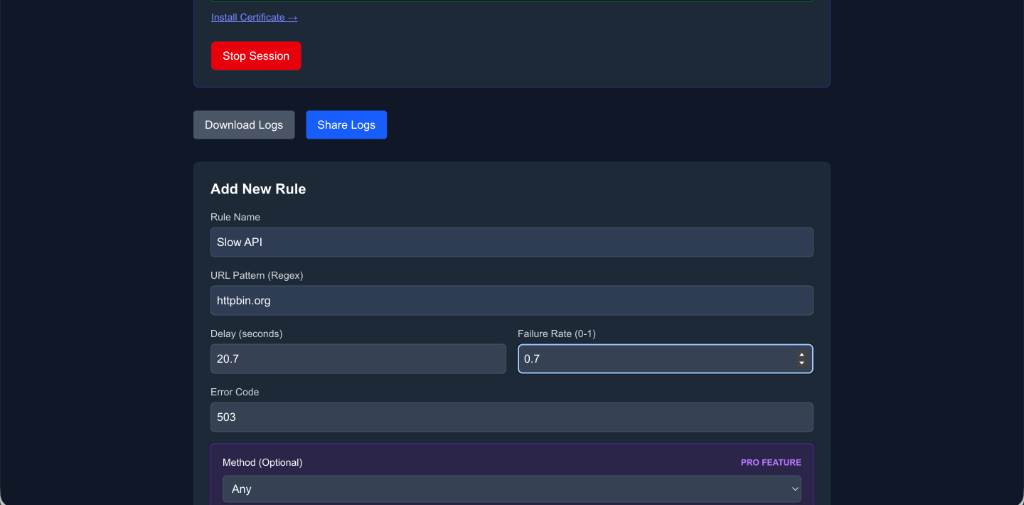
Simulating a server crash in 1 click without changing backend code.
Advanced: Modern proxies aren't just for inspecting traffic. Standard breakpoints are great for manual edits. But for automated resilience testing, you need Response Fuzzing. See how to use this technique to catch "200 OK" bugs in our guide: The Poisoned Payload: Why your frontend crashes on valid responses.
Security & Privacy
"Is it safe to send traffic to the cloud?"
We know security is critical. Debuggo sessions are ephemeral. Logs are automatically wiped after 24 hours (or instantly via API). We are compliant with modern encryption standards.